
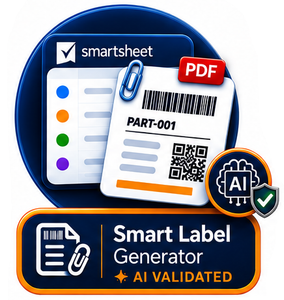
🏷️ Smart Label Generator©
Turn your Smartsheet Row into a Professional Label
Smart Label Generator© transforms the data from your Smartsheet row into a professional label – without manually copying data into another application.
Generate the label as a PDF attachment directly on the Smartsheet row. Once the PDF is attached, the actual generated label can optionally be validated by AI against your defined guidelines.
Row
Generator
Label
Smartsheet Row
Validation
Your Smartsheet Data. Your Label. One Click.
Your information is already in Smartsheet. Smart Label Generator turns that information into the label you need.
Use your Smartsheet Data
No exporting, copying or re-entering information. The Smartsheet row is your source.
Generate a Professional Label
Use your predefined label design with text, images, barcodes and QR codes.
Keep it with the Row
The generated PDF can be attached directly to the corresponding Smartsheet row.
How does Smart Label Generator© work?
Four simple steps take you from Smartsheet data to a generated, attached and optionally validated label.
Select your row
Select the Smartsheet row containing the information you want to use.
Generate your label
Your predefined label template is populated automatically with the row data and generated as a PDF.
Attach the PDF
The generated PDF is added as an attachment to the corresponding Smartsheet row.
Validate with AI
AI can analyse the actual attached PDF and check it against your defined label guidelines.
🏷️ Your Smartsheet data becomes a real label
Smart Label Generator isn’t simply exporting your Smartsheet data to a PDF.
It uses your label design and places the relevant information in exactly the right locations.
- Product and item information
- QR codes and DataMatrix codes
- Barcodes
- Rowlink QR codes
- Logos and images
- Dates, quantities and identifiers
- Dynamic Smartsheet information
ABC-12345
24
Warehouse A
Ready
✨ Validate the actual generated label
The AI validation takes place after the PDF has been generated and attached to the Smartsheet row. This allows AI to check the finished label itself against your predefined guidelines.
AI-powered Label Validation
Once the PDF label is available as a Smartsheet attachment, AI can analyse the generated label against your predefined label guidelines.
Everything you need to generate your labels
A simple solution for turning structured Smartsheet data into professional labels.
PDF Generation
Generate a professional PDF label based on the selected Smartsheet row.
QR & Barcodes
Include QR codes, DataMatrix codes and traditional barcodes in your label design.
Images & Logos
Use product images, company logos and other graphical elements.
Smartsheet Data
Use the information that already exists in your Smartsheet environment.
Row Attachment
Keep the generated label together with the Smartsheet row as a PDF attachment.
AI Validation
Validate the actual generated PDF against your defined label guidelines.
Which Smart4B label solution fits your needs?
Three solutions connect Smartsheet with labels in different ways. And one exciting new capability is already on its way.
| Capability | Inline QR Generator© | COMING SOON Inline Label Generator© | Smart Label Generator© | Smart Label Printing© |
|---|---|---|---|---|
| QR Codes | ✔ | — | ✔ | ✔ |
| Barcodes | ✔ | — | ✔ | ✔ |
| DataMatrix | ✔ | — | ✔ | ✔ |
| Professional Label | — | Coming soon | ✔ | ✔ |
| Inline Label Image | — | Coming soon | — | — |
| PDF Generation | — | — | ✔ | ✔ |
| Row Attachment | — | — | ✔ | ✔ |
| Rowlink QR | — | Coming soon | ✔ | ✔ |
| Direct Printer Integration | — | — | — | ✔ |
| Interactive Forms | — | — | — | ✔ |
| Automated Printing | — | — | — | ✔ |
| ✨ AI Label Validation | — | Coming soon | ✔ | ✔ |
Smart Label Generator© pricing
Start with Smart Label Generator© and turn your Smartsheet data into professional PDF labels attached directly to your rows.
Smart Label Generator©
Prices starting from 65 EUR / 75 USD per month (yearly invoiced)
Generate professional labels directly from your Smartsheet rows and receive the finished label as a PDF attachment.
- Generate labels from Smartsheet row data
- Use your predefined professional label design
- Include text, images, barcodes and QR codes
- Generate the label as a PDF
- Attach the generated PDF to the Smartsheet row
- Optionally validate the finished label with AI
Built for Smartsheet users
Your Smartsheet environment remains the central source of your information.
🚀 Ready to explore the other Smart4B label solutions?
Smart4B connects Smartsheet with professional labels in different ways. Choose the solution that best fits the way you want to create, display or print your labels.